ARK exposes hundreds of server options, but a useful first configuration does not require hundreds of lines. The reliable approach is to decide how long common activities should take, change a small group of related multipliers, and test those changes on a backup. Copying a giant configuration from an unknown server often produces conflicting values, settings for the wrong game version, and rates that do not match your group.
Before editing, stop the server and download GameUserSettings.ini, Game.ini, and a recent world save. Editing while the game or server is running can cause your changes to be overwritten.

1. Find the correct configuration files
On a self-hosted Windows server, the usual folder is ShooterGame\Saved\Config\WindowsServer\. On Linux it is normally ShooterGame/Saved/Config/LinuxServer/. A hosting company may hide those paths behind a configuration editor, but the two underlying files are the same. Each option is written on its own line as option=value.
GameUserSettings.ini holds general server behavior such as XP, taming, harvesting, passwords and PvE/PvP state. These entries normally sit below [ServerSettings]. Game.ini contains advanced game-mode rules such as breeding, per-level stats, engram changes and custom progression. Those entries normally sit below [/script/shootergame.shootergamemode].
[ServerSettings]
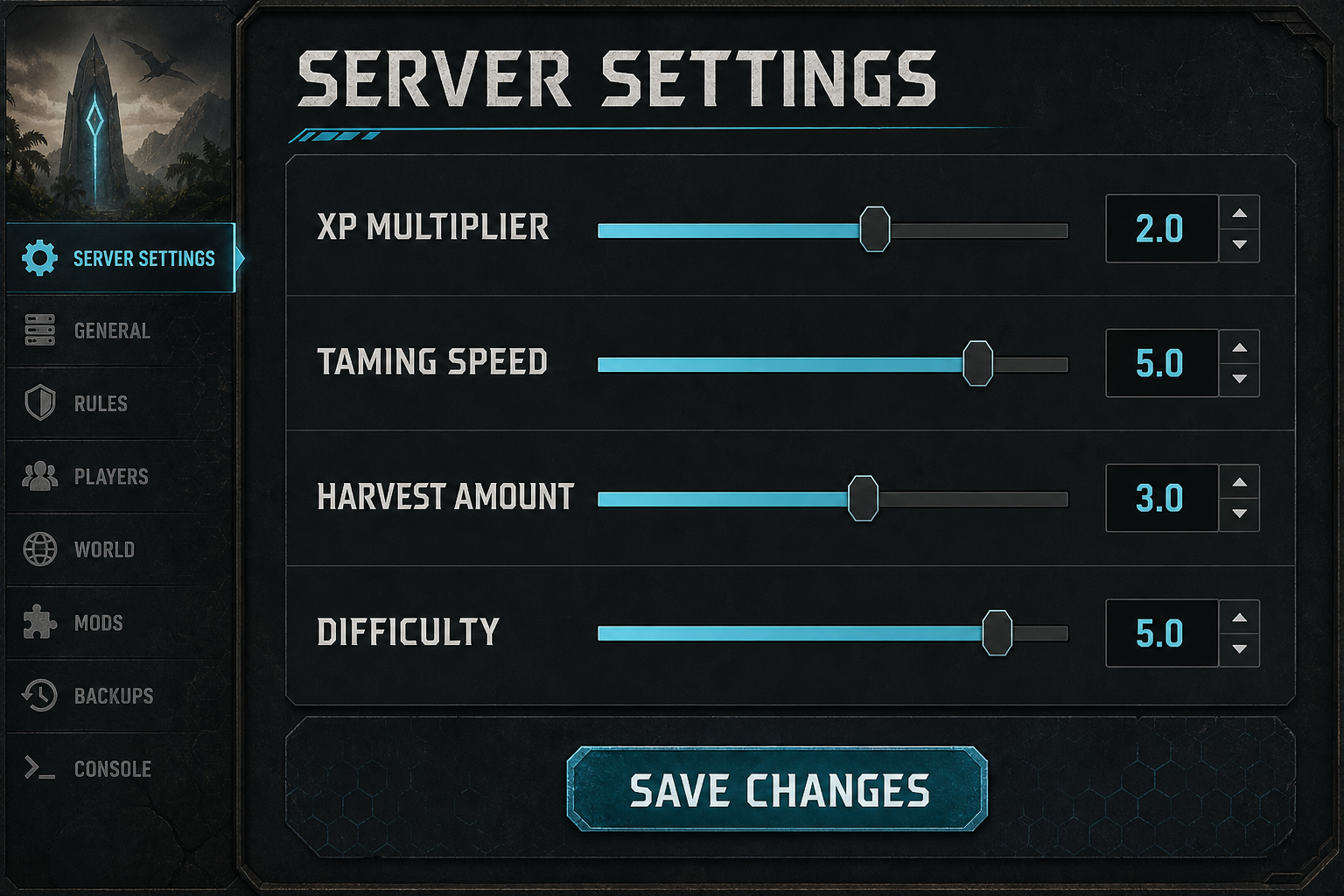
XPMultiplier=2.000000
TamingSpeedMultiplier=5.000000
HarvestAmountMultiplier=3.000000

[/script/shootergame.shootergamemode]
MatingIntervalMultiplier=0.250000
EggHatchSpeedMultiplier=10.000000
BabyMatureSpeedMultiplier=10.000000
Do not paste both sections into one file just because they appear together in an online example. Use the heading to identify the destination, and keep one copy of your last working files outside the server directory.
2. Set progression rates from a time budget
Start with three rates: XP, taming and harvesting. For a small group that plays a few evenings per week, 2x XP, 3x harvesting and 5x taming create noticeable acceleration without deleting the early game. These are starting points, not universal “best settings.” A public long-term server may need slower progression, while a short seasonal server can use much faster rates.
- XPMultiplier changes the overall rate at which experience is earned. Raising it too far makes early engrams and creature progression pass before new players learn the systems.
- TamingSpeedMultiplier reduces the real time required for taming. It does not automatically solve every food, torpor or effectiveness decision.
- HarvestAmountMultiplier changes the amount returned by harvesting. Very high values can also increase inventory handling and storage pressure because players produce larger stacks of resources more quickly.
Test each rate with a real task: harvest the same metal rock, tame a known creature at a recorded level, and compare XP from the same action. This catches a control panel that silently rewrites values and avoids relying on how a number “feels.”
3. Configure breeding as one connected system
Breeding settings should never be changed one at a time without checking the final schedule. MatingIntervalMultiplier controls the cooldown before a female can mate again; a lower number shortens that wait. EggHatchSpeedMultiplier increases incubation or gestation speed. BabyMatureSpeedMultiplier shortens maturation when increased.
Imprinting creates the common trap. The default cuddle interval is eight hours, and the interaction amount depends on maturation time and related multipliers. If maturation becomes ten times faster but the cuddle interval stays close to default, some creatures may become adults before enough care interactions are possible. High maturation speed can therefore make 100% imprint impossible for some species unless the care schedule is adjusted with it.
A practical starting combination is BabyMatureSpeedMultiplier=10 with a lower BabyCuddleIntervalMultiplier, followed by a test using one fast-maturing creature and one slow-maturing creature. Do not promise players that every species can reach 100% until that test is complete. Our breeding multiplier guide explains this relationship in detail.
4. Set difficulty explicitly
Difficulty affects wild creature level steps and loot quality. Map defaults can differ, so an explicit value is easier to reason about than relying on DifficultyOffset alone. For the familiar maximum standard wild level of 150, use OverrideOfficialDifficulty=5.0 under [ServerSettings]. An explicit override produces more consistent behavior across maps than relying on a map default.
[ServerSettings]
DifficultyOffset=1.000000
OverrideOfficialDifficulty=5.000000
Changing difficulty does not reroll creatures already present in the world. After confirming that you have a save and have warned active players, use an authorized wild-dino wipe and allow the ecosystem to repopulate. Then check several areas and species instead of judging the change from one spawn.
5. Separate gameplay tuning from performance tuning
A multiplier is not automatically harmless because it is only a number. Extremely fast breeding can create hundreds of creatures, aggressive harvesting can inflate stored item counts, and generous structure limits can produce dense bases. Those outcomes affect save size, restart time and server simulation. Change gameplay rates first, monitor actual behavior for several sessions, and only then adjust caps or cleanup rules.
For a public server, record the date, old value, new value and reason for every change. Announce changes before they affect breeding projects or progression. A simple change log prevents the admin team from repeatedly reversing one another’s work.
6. Verify the configuration after restart
- Stop the server cleanly and create a backup.
- Edit the correct file and keep each setting under the correct section.
- Save using plain text and a decimal point, not a comma.
- Restart the server and wait for it to finish loading the world.
- Reopen the files to see whether the host panel rewrote anything.
- Perform one repeatable in-game test for each changed group.
- Keep the known-good copy when the test succeeds.
If a setting appears ignored, check spelling, file location and section heading before adding duplicate lines. Also verify whether bUseSingleplayerSettings is enabled: the official configuration reference shows that this option applies additional multipliers to taming, maturation, hatch speed and several stat values, so the final result may differ from the number you entered.
Balanced starter template
The following is a conservative base for a private PvE group. It intentionally avoids per-level stat overrides and large structural changes. Generate your own version with the ARK Server Settings Generator, then test it before moving it to an established world.
[ServerSettings]
ServerPVE=True
XPMultiplier=2.000000
TamingSpeedMultiplier=5.000000
HarvestAmountMultiplier=3.000000
DifficultyOffset=1.000000
OverrideOfficialDifficulty=5.000000

[/script/shootergame.shootergamemode]
MatingIntervalMultiplier=0.250000
EggHatchSpeedMultiplier=10.000000
BabyMatureSpeedMultiplier=10.000000
BabyCuddleIntervalMultiplier=0.100000
Good settings are not the most extreme settings. They are the values that produce the experience described on your server page, remain understandable to players, and can be reproduced after an update or migration.