Setting ARK difficulty is confusing because several options can influence the final value and maps have historically used different base difficulty behavior. The most predictable server configuration is to state the final official difficulty directly with OverrideOfficialDifficulty, restart the server, remove old wild creatures, and then inspect newly generated spawns.
A maximum of 150 does not mean every creature will be level 150. It means standard wild creatures can roll within level steps up to that cap. Some species and special spawns follow different rules.
What “difficulty 5” actually changes
Difficulty affects possible wild creature levels and the quality range of loot drops. At an effective difficulty of 5.0, most standard wild creatures use five-level increments and can reach level 150. You will still encounter low levels because the game chooses from the permitted range. One beach full of level 5 and level 20 creatures is not proof that the configuration failed.
The official community difficulty documentation explains the order ARK uses: a maximum-difficulty option can take priority, otherwise OverrideOfficialDifficulty is used when supplied, and otherwise the game calculates difficulty from DifficultyOffset and a map-dependent base value. Using an explicit override avoids relying on that last calculation.
Step 1: stop and back up the server
Announce the maintenance window, allow the server to save, and stop it cleanly. Download a recent world save and the existing GameUserSettings.ini. A wild-dino wipe is normally safe for structures and tamed creatures, but a backup gives you a recovery point if an unrelated startup or save problem appears.
Do not edit the active file while the server is still running. ARK or a hosting panel may save its current settings during shutdown and overwrite your new lines.
Step 2: edit GameUserSettings.ini
Open GameUserSettings.ini for the server instance and locate [ServerSettings]. On a Windows dedicated server, the usual path is ShooterGame\Saved\Config\WindowsServer\GameUserSettings.ini. Linux uses the corresponding LinuxServer directory. Add or update the following lines:
[ServerSettings]
DifficultyOffset=1.000000
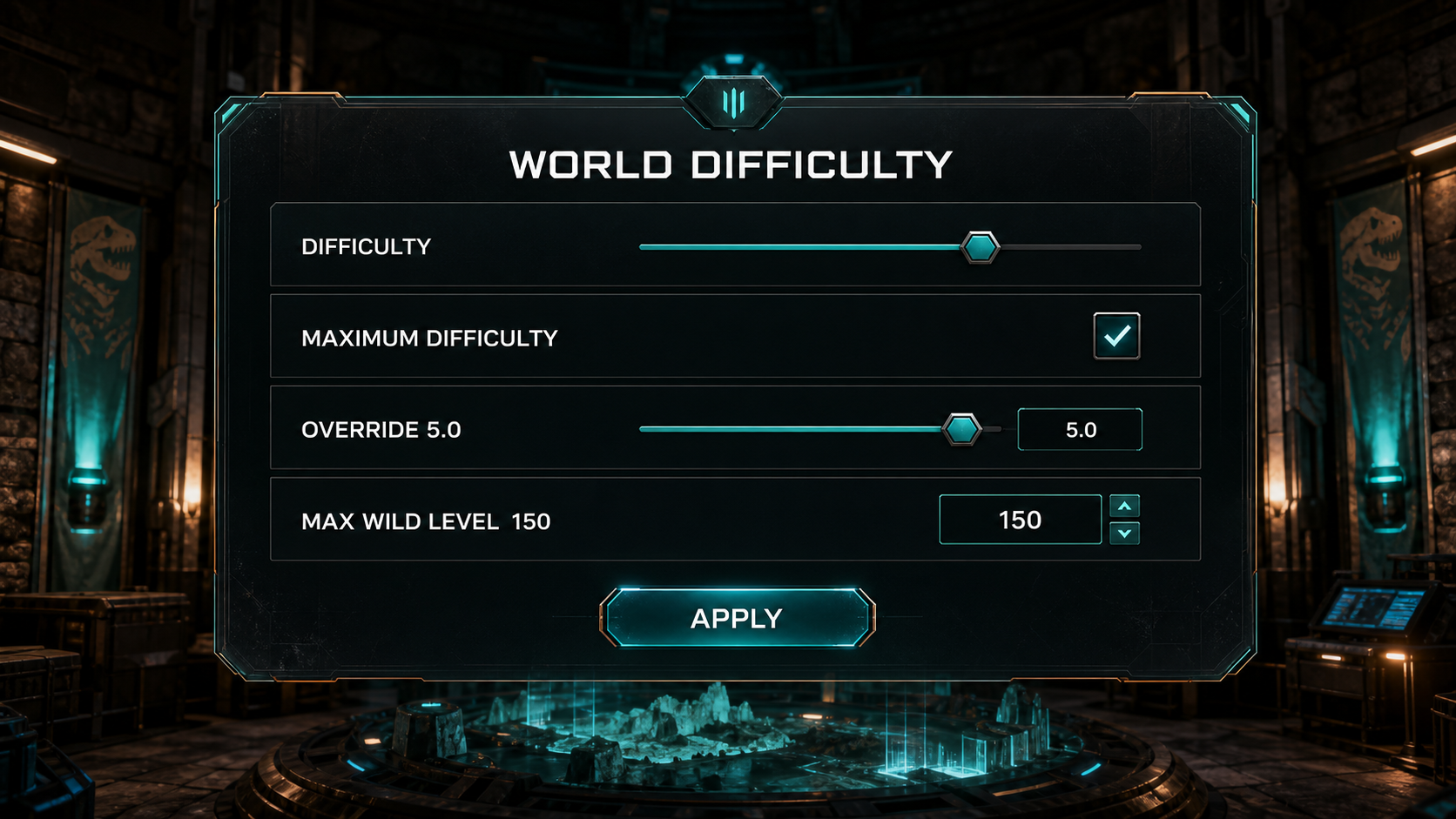
OverrideOfficialDifficulty=5.000000
OverrideOfficialDifficulty=5.0 is the important explicit value for the familiar level-150 cap. Keeping DifficultyOffset=1.0 makes the intent clear and works with panels that still expose the offset slider. Avoid leaving another copy of either setting later in the same section.
If your control panel has a “maximum difficulty” switch, do not blindly combine several competing methods. Choose the explicit override where the panel supports it, save, and reopen the editor to verify that the value was retained.
Step 3: restart and verify the file
Start the server and wait for the world to load fully. Stop it again only if your provider requires a second configuration check, then reopen GameUserSettings.ini. Some panels regenerate files from form values; if your line disappeared, change the corresponding panel field instead of repeatedly editing a generated file.
Check the server log for malformed configuration messages. Decimal values should use a period. Confirm that the setting is below the exact [ServerSettings] heading and not a client graphics section elsewhere in the file.
Step 4: replace existing wild spawns
Changing difficulty does not recalculate the levels of creatures already living in the world. Without a wipe, the server can continue showing the old population until creatures naturally die and respawn. Once the server is online and you have administrator access, run an authorized wild-creature wipe:
admincheat DestroyWildDinos
This command removes wild creatures, not your tamed animals, but it still changes the active world immediately. Warn players first. After the command, the map can look empty while spawn zones repopulate. Give the server time rather than running the command repeatedly.
Step 5: verify with level increments
Travel through several spawn regions and inspect a meaningful sample. At difficulty 5, most standard creatures should appear in multiples of five. Seeing levels such as 15, 55, 100 and 145 is stronger evidence than waiting for one level 150. Use a spyglass or an admin inspection method that does not alter the creatures.
Different species can use special level ranges, and map distribution can favor lower levels. Verify ordinary creatures first. If levels still appear in the old increments after a full repopulation, return to the configuration rather than performing more wipes.

Using another maximum level
For many standard creatures, the familiar relationship is maximum level equals effective difficulty multiplied by 30. That means difficulty 6 is commonly used for a level-180 cap. Treat this as a server design choice: higher wild levels increase the available pre-tame stat points and affect the power curve of bred lines and loot.
# Typical standard-creature targets
OverrideOfficialDifficulty=5.000000  # Max 150
OverrideOfficialDifficulty=6.000000  # Max 180
OverrideOfficialDifficulty=10.000000 # Max 300
Do not paste the comments above into a panel that rejects inline comments, and do not include three overrides at once. Select one value. Very high levels can create balance, torpor and stat-scaling outcomes that normal guides are not written around.
Why you still see low levels
- No wild wipe: old creatures keep their existing levels until replaced.
- Wrong file: you edited a client file or a different server instance.
- Wrong section: the override is not below
[ServerSettings]. - Hosting panel overwrite: the provider regenerated GameUserSettings.ini from its own fields.
- Duplicate line: another override elsewhere makes the effective configuration unclear.
- Small sample: difficulty permits high levels but does not force every spawn to be high.
- Special creature rules: the species you inspected does not use the standard range.
Level-150 checklist
- Back up the save and configuration.
- Stop the server.
- Set
DifficultyOffset=1.0andOverrideOfficialDifficulty=5.0. - Restart and confirm the host retained the values.
- Warn players and run one wild-dino wipe.
- Wait for repopulation.
- Inspect standard creatures across multiple regions.
- Keep the working configuration with a date and map name.
For the rest of your rates, continue with the complete ASA server settings guide or create a clean starting block in the settings generator.