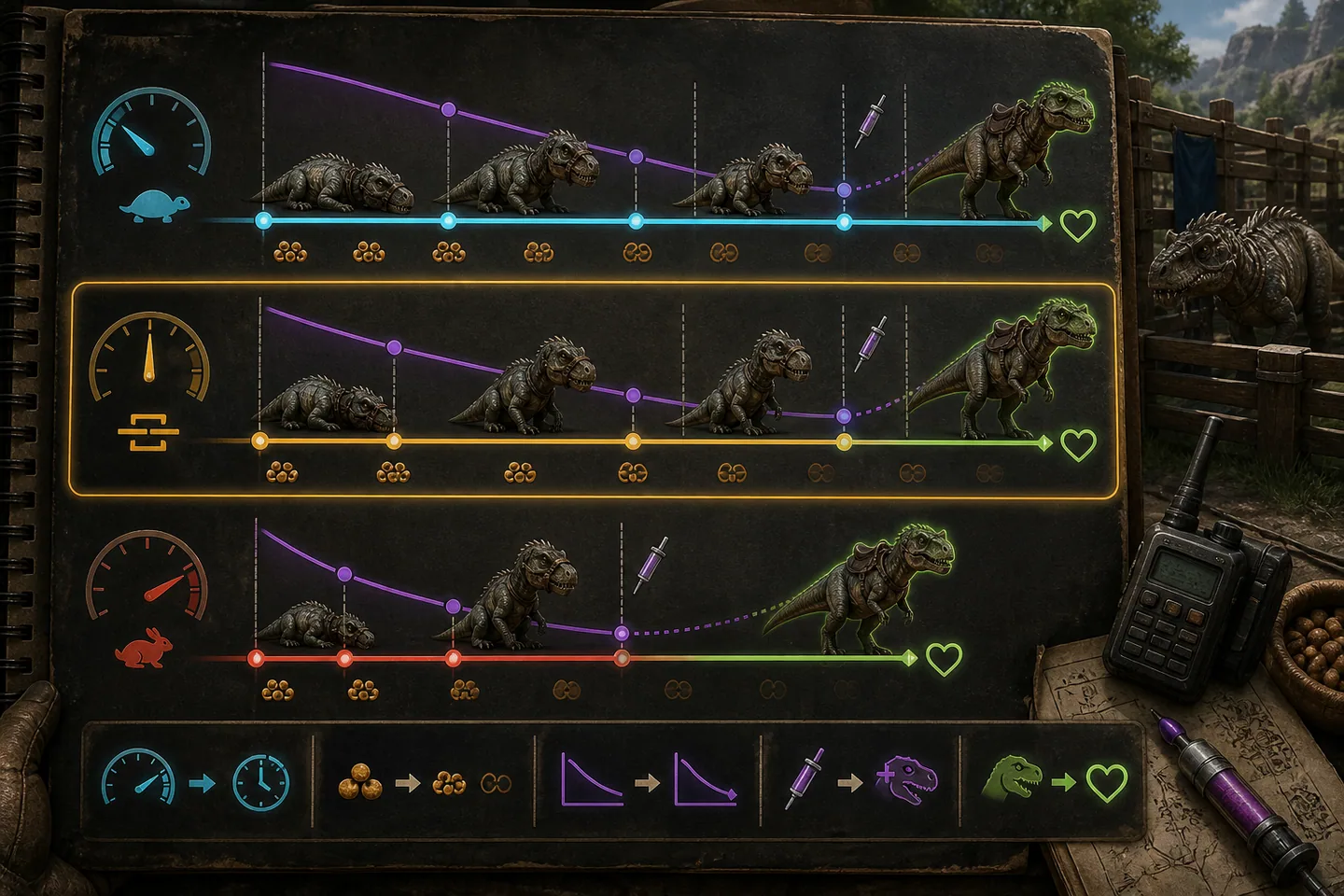
TamingSpeedMultiplier changes how quickly taming affinity is gained, but a good tame still depends on the creature's method, preferred food, torpor or interaction rules and protection from damage. Raising the speed can remove hours of waiting without making every creature instant. Raising several related values without understanding them can instead create a result that no longer resembles the plan.
Choose speed from a target duration. Ask how long a major tame should take during a normal session and test against a known species and level. Keep taming effectiveness separate from speed: effectiveness influences bonus levels and some post-tame stats, while the clock describes how long the process takes.

1. Establish a repeatable baseline
Pick one creature common to your map, record its wild level and use the same preferred food for every test. Note the world’s single-player option, event rates and any mods that alter taming. Without that context, two players can enter the same visible multiplier and report different results. Use a disposable test world when changing several server settings.
Record knockout or first interaction time, food used, total completion time, effectiveness and final level. Passive, knockout, trap and special tames follow different mechanics, so one result does not predict every species. The baseline is meant to confirm the configuration actually changed and to reveal whether the chosen pace fits a play session.
2. Increase speed in measured steps
A moderate multiplier such as 3x or 5x is a useful starting range for many small private groups, but it is not a universal recommendation. Test before doubling again. The difference between forty minutes and fifteen minutes may improve an evening; the difference between fifteen minutes and seconds may remove food preparation, trap defense and torpor management entirely.
Place TamingSpeedMultiplier under ServerSettings in GameUserSettings.ini or use the hosting control that writes it. Stop the server before editing and confirm the value after restart. When Use Single Player Settings is enabled, expect additional behavior beyond a dedicated-server example and judge the actual tame rather than the label alone.
[ServerSettings]
TamingSpeedMultiplier=5.000000
3. Protect taming effectiveness
Taming effectiveness begins high and falls as the creature consumes food or takes damage while unconscious, with species-specific details. Better food normally completes the tame with fewer feedings and preserves more bonus levels. Speed reduces elapsed time but does not make an unsuitable food equal to the preferred kibble or remove the effect of incoming damage.
Build or choose a safe taming area, clear threats and keep the unconscious creature from being struck by your own attacks. Prepare narcotics and food before the knockout. A fast multiplier helps the clock, yet protection and preparation still determine whether a high-level wild creature becomes the strong tame you expected.
4. Avoid confusing food drain with taming speed
Food consumption settings change how quickly hunger falls and therefore when an unconscious creature eats. They affect many other systems and can alter food use across the world. Do not increase global food drain simply because one tame feels slow unless you understand the wider effect. TamingSpeedMultiplier is the clearer control for the overall pace.
Starve taming means waiting before adding food so several feedings occur close together. It can reduce the time valuable food sits exposed and make risk easier to manage, but the waiting period still happened. It does not create free speed or better effectiveness by itself. Measure from knockout to completion when comparing methods, not only from the first item placed in inventory.
5. Test special and passive tames separately
Some creatures require passive feeds, combat steps, environmental conditions or species-specific interactions. A general multiplier may affect their affinity, but their limiting step may be an animation, cooldown or special requirement. Read the creature’s current method and prepare around it rather than assuming the knockout workflow applies.
For a public server, test representative methods before advertising a universal time. State the base taming multiplier on the server profile and let players calculate a specific species from that rate. If a mod changes taming, name it because the live server feed cannot prove custom mechanics.
6. Balance taming with the rest of progression
Fast taming combined with very high harvesting and XP can skip early survival faster than intended. Consider how long players need to craft saddles, collect preferred food and build protection. The best rate supports the server’s season length and group size. A weekend story run and a permanent community should not be expected to use the same profile.
Keep the known-good configuration and announce changes before a community begins important tames. Verify the rate after game updates or switching the single-player option. A transparent, tested 5x experience is better than a page claiming balanced rates while hidden multipliers make the real world unpredictable.
Common questions
Frequently asked questions
Does higher taming speed guarantee better effectiveness?
No. Food choice, number of feedings, damage and species mechanics still affect effectiveness and bonus levels.
Does starve taming make the total tame faster?
The hunger-drain waiting still counts. It can make food management safer, but it does not remove the elapsed time before feeding.
Where does TamingSpeedMultiplier go?
Use it under ServerSettings in GameUserSettings.ini or the equivalent field provided by the host panel.