Choosing a server is one of the most important decisions in ARK: Survival Ascended. Your survivor can spend dozens or hundreds of hours building, breeding and forming a tribe, so a poor match is expensive. Official servers offer a standardized network operated for the game, while community servers are operated by groups or individual owners with their own rates and rules. ARK labels this second category “Unofficial” in its server browser. Both can be enjoyable, and both create different tradeoffs.
Do not choose from population alone. Before joining, check the rates, wipe policy, cluster maps, moderation rules, platform support, mod list and the server’s recent availability.
What is the practical difference?
Official servers use the rules and rates selected for the official network. Players know what kind of baseline progression to expect, and they are not dependent on one community owner paying a monthly bill. Community servers can change progression, enable mods, organize map clusters, restrict behavior and run events. That flexibility is the reason many players prefer them, but it also means two community servers can provide completely different experiences.
The ARK server browser obtains official and community-hosted sessions separately. The official community documentation describes the separate discovery process and the status information exposed by a server. Many community sessions are persistent public worlds with multiple maps and active administration.
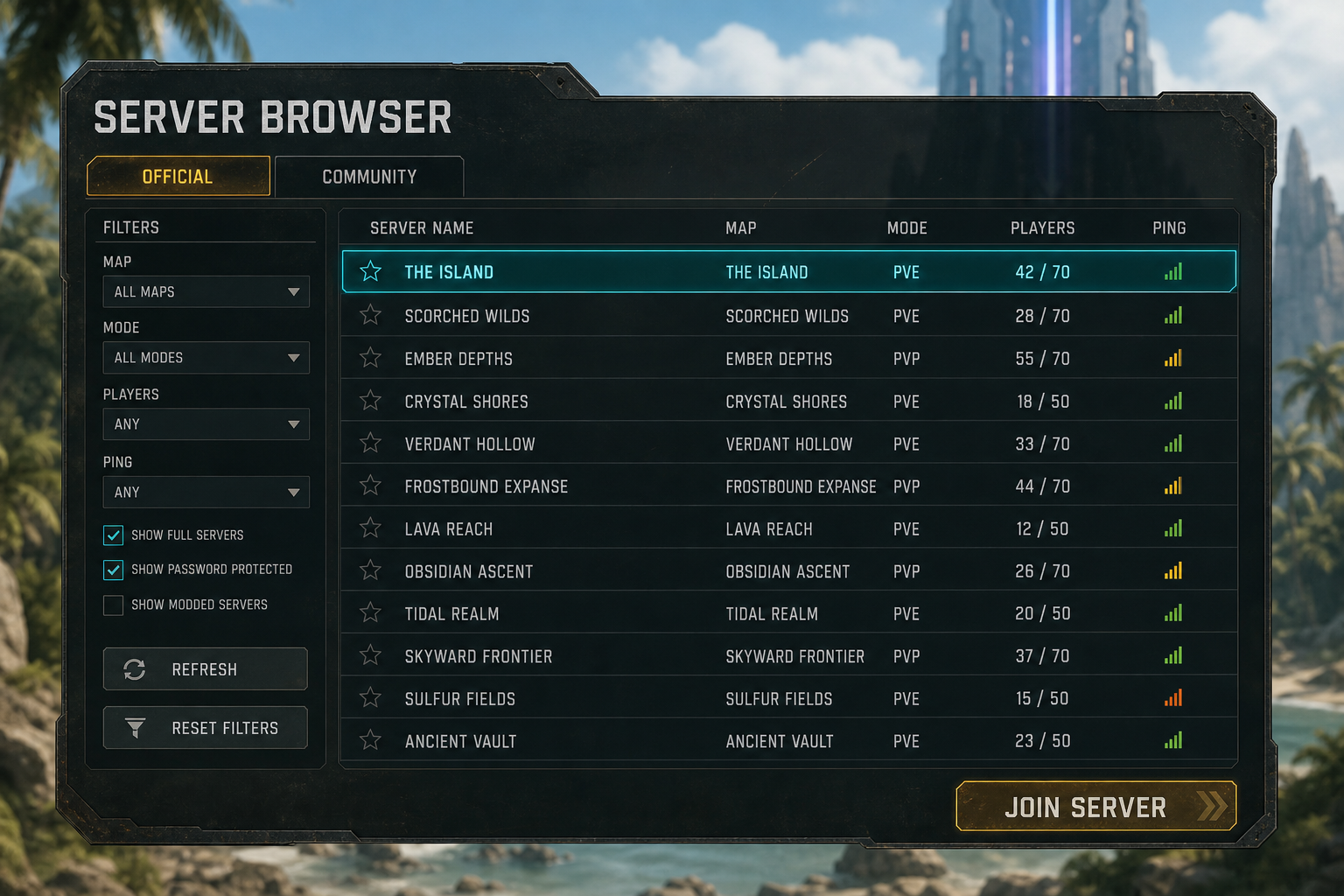
When an official server makes sense
Choose official when you value standardized rules and want to play within the game’s common reference point. It can be a good fit if you enjoy long progression, accept the official rate schedule, and do not want custom mods or a private admin changing balance. A larger shared network can also make it easier to understand guides because authors often use official values as their baseline.
Official is not automatically easier or safer. Popular servers can be crowded, established tribes may control important locations, and support is not the same as having a familiar community moderator online. Progression may also feel demanding for a small tribe with limited weekly playtime. Before committing, visit during the hours you normally play and check whether the population, latency and available building areas are acceptable.
- Good fit: players who want standard rates, no community-selected mods and a broadly recognizable ruleset.
- Potential drawback: slower progression, strong established tribes and less personalized moderation.
- Test first: create a temporary survivor, check latency, examine chat culture and scout accessible regions before moving a group.
When a community server makes sense
A community server is usually the better fit when your available time does not match official progression or when you want a defined community style. A server might offer faster taming, weekend events, a small quality-of-life mod set, protected PvE building rules or scheduled PvP seasons. Good administrators publish these choices clearly and enforce them consistently.
The tradeoff is operator risk. A server can shut down, wipe unexpectedly, change rates or lose backups. That does not make community servers unreliable as a group; it means you should evaluate the operation rather than only the advertisement. Look for a public change log, a written wipe policy, multiple administrators, clear backup practices, a Discord with older messages, and an explanation of how donations or paid perks work.
- Good fit: smaller tribes, players with limited time, mod users and anyone seeking a specific PvE or PvP culture.
- Potential drawback: admin decisions, changing mod dependencies, wipes and the possibility that the community closes.
- Test first: read the rules, inspect update history and ask what happens to the world when a new map or major patch arrives.
Decide PvE or PvP before comparing rates
A fast server is not useful if its conflict rules do not match your group. On PvE, investigate building limits, abandoned structure cleanup, spawn blocking, tribe disputes and whether trading is supported. On PvP, look for raid windows, offline raid protection, tribe-size limits, alliances, seasonal wipes and restrictions on caves or highly defensible locations.
“No wipe” and “never wipe” should be treated as operational claims, not guarantees. Ask how the owner handles corrupted saves, major game changes and maps that become unsupported. For seasonal PvP, the opposite applies: obtain the exact wipe date, time zone, tribe limit and launch rules so everyone starts with the same expectations.
Read rates as a complete package
A listing that says “5x” is incomplete. Five times what: XP, gathering, taming, maturation, hatch speed or all of them? Breeding also depends on mating cooldown and imprint timing. Stack size and player weight can change the practical value of harvesting. Ask for a rate table rather than relying on one number in the server name.
For a balanced private-group experience, moderately faster harvesting and taming can reduce repetition while leaving progression intact. Very high rates suit short seasons and players who want immediate endgame activity. Neither approach is objectively superior, but a mismatch causes players to leave quickly.
How to judge whether a community server is healthy
- Check population at your play time. A daily peak in another region may not help you.
- Look beyond today. Stable activity over several days is more meaningful than one launch spike.
- Read the Discord history. Frequent unexplained resets, deleted criticism or constant rate changes are warning signs.
- Review the mod list. A focused list is easier to maintain than dozens of overlapping mods.
- Ask about backups. Responsible owners can explain backup frequency and restore procedures without exposing sensitive access.
- Check monetization. Cosmetic support and transparent hosting contributions are different from hidden pay-to-win advantages.
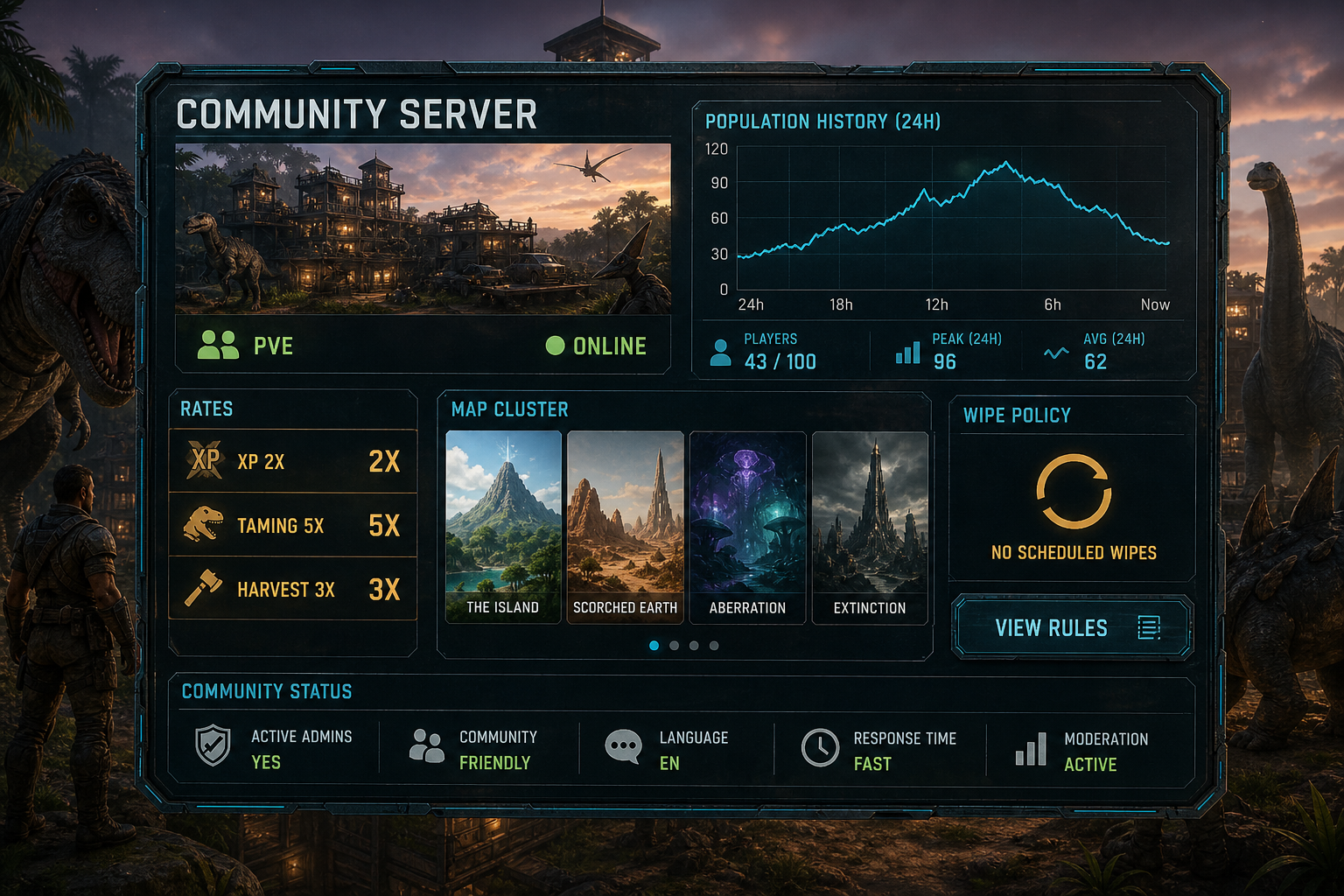
Confirm cluster and transfer rules
Many communities link several maps into a cluster. Confirm which maps are live, whether characters, items and creatures can transfer, and whether new maps have a delayed transfer period. Transfer restrictions are controlled through server configuration and cluster settings; the server configuration reference lists the upload and download controls admins can use. Never assume that “cluster” means every item can move freely.
A simple decision checklist
Pick official if standardized rules and the official progression baseline matter more than convenience. Pick a community server if you want rates suited to your schedule, community moderation, mods or a specific season format. Then shortlist three servers and spend one session on each before building permanently.
Use the ARK Toolbox server browser to compare live sessions by mode, map and population. A future verified profile will add the information the live feed cannot supply: owner description, rates, wipe schedule, Discord, cluster maps and moderation policy.